![[]](/theme/images/category-technique.svg)

Shaders have long been on the list of possible subject to study for Jappie. The potential of both creating beautiful art as well as doing parallel processing seem incredible valuable capabilities to have. This post comments on the effort of porting a JavaScript WebGL fire to an elm implementation. Elm was chosen as target language because it is opinionated, easy and type safe. In this post we explore how to get started in elm with shaders, and then move on trying to port the fire project, finally performance is increased as much as possible.
In the beginning there was nothing.
There are some example shader setups for elm. The `crate’ was copied over resulting into having a fully 3d crate! This is not exactly the output desired, a crate is not a fire (obviously), but now there is a skeleton for the elm architecture and some example shaders to play with.
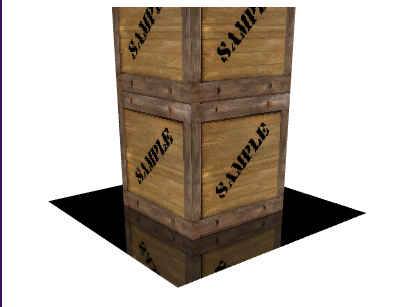
From here on there are two possible paths to continue, one can try and completely understand what the shaders do and how they work, or one can just copy over the shader code from the JavaScript project and see if we can make that work. Although initial work was started on the former approach, the latter approach won out because the topic of ‘shader’ is just too large. There is a lot of math involved. Although this is an exercise of exploration and learning, trying to understand it all is a massive scope creep.
Unbreak rendering
After copying over the shader logic from the fire project, everything broke. This was not surprising as the crate project was 3d, whereas the fire project was 2d. Luckily Elm has strongly typed input for the shaders. Therefore solving these mismatches was relatively easy. We could just follow the compile errors. After that, the example program was essentially gutted, only the basic architecture and API calls were left in tact. Elm forces this architecture upon us, there is no choice in this. The result of this effort is shown below.
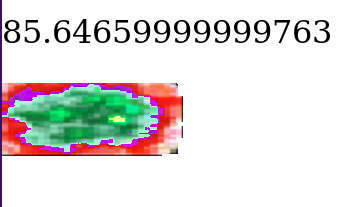
It does not look like much of anything, however, this is counted as progress. Not having a blank screen is good. The next thing to do was fixing the colors. This happened by porting the hue code, there was no elm implementation for this particular kind of Hue representation. Because a white background and the hue produces light blue, we added a black background which mixes into an orange. Now we had the right color, however transparency was also broken. Transparency was quite interesting because my initial fix involved changing the shader. However the the right (API) option was eventually found that solved this issue. With all of this in place we get a single circle with the right color!
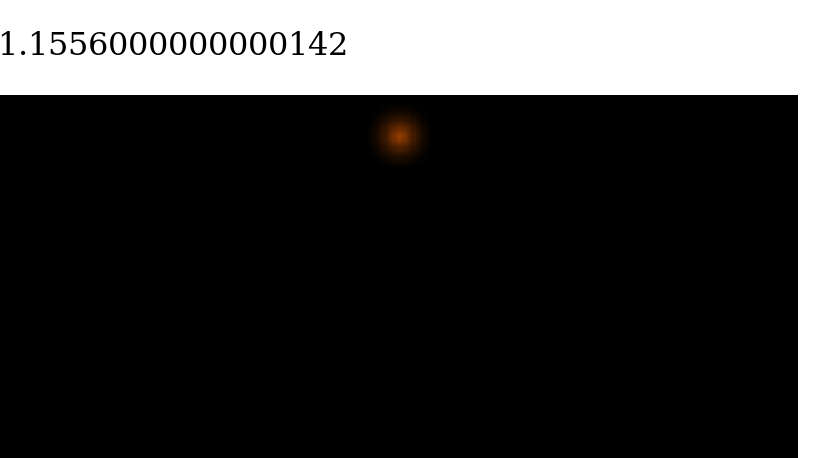
Baby steps. Graphics take time.
Random spheres
This is not impressive at all. However, in life one may find that arity changes everything. A single dot on it’s own is just a single dot, but if we randomly place it all over the screen we get something nice to look at (live here):
Aside from random creation this doesn’t bring us much closer to the goal of fire. However some more work was done on it because Jappie thought it looked beautiful. Performance was increased by converting a particle immediately into it’s WebGL representation.
Movement
To do movement we dropped some changes from the random sphere case. The idea of not doing an update loop at all was temporary put aside, because using an update loop is closer to the JavaScript original. Keeping it would make porting easier.
Doing movement is simply adding velocity times time to position every frame. That’s it. The simplex noise part of the JavaScript code was also implemented for variation in movement.
It turns out however that the result is somewhat unimpressive. Yes it looks like fire, but after about 20 seconds the memory is full, garbage collection kicks in and the program grinds to an halt. Here is an example (live here, may grind your computer to a halt):
Speed
The problem is that aside from creating particles and sending them to a GPU, All existing particles must every cycle be updated with the new location. We may observer however that the path of the particles after creation is entirely deterministic. Why don’t we let the shaders do this? The idea being that we create particles with an initial position, timestamp and velocity. Then let the shaders calculate the position for whatever the current timestamp is.
When trying to implement this, it was found out that the elm gl API was used in a inefficient way. The realization came that using an entity per quad doesn’t allow us to share the uniform across all quads. These entities are analogues to WebGL ‘programs’
The architecture was redesigned to take into account multiple particles per elm entity. Rather than tracking lists of entities, lists of tuples of vertices are now being tracked: List (Vertex, Vertex, Vertex). It would’ve been preferable to use Mesh Vertex as type, but this type does not support appending in the elm shader API.
This approach seemed to work much better, in fact this is probably how one should use this API. It was possible to render 500 particles now and the computer didn’t lock up (at all):
live here
It’s still not very good, as the original JavaScript implementation was able to do up to 3000 particles per seconds quite comfortably (with a much better frame rate)… There is not a lot of things done in the this implementation on the CPU side, and still the CPU intense JavaScript implementation is faster. Perhaps this is just a limit of using elm.
More speed?
After thinking about the problem for some time another idea came to mind. To increase speed, the amount of information send to the GL pipeline can be reduced. Every frame sends this Mesh collection to the GPU trough a buffer, if this buffer can be decreased in size, speed would increase. It would also lighten the load on garbage collection, as less objects need to be created. The suspicion is that elm is slow just because of garbage collection. We can do this rather trivially by representing each particle as a single vertex, with a position and size. Then we just use a shader to reconstruct the vertices into quads (squares). The vertex shader would move the vertex first, then another (unkown) shader would do reconstruction, then the fragment shader would do drawing. Easy as π.
Stack overflow suggests that we can use a geometry shader for this. Unfortunately the elm GL API doesn’t support this, it only has a slot for vertex, and fragment shader in the entity function. Jappie briefly got excited about adding this shader type to the elm API, however he discovered that WebGL doesn’t support this type of shader at all. From this point it’s unclear how to increase speed. Changing WebGL itself is borderline impossible (it would take at least years).
In conclusion
Upon discovery of the WebGL API for elm Jappie was quite excited about using that. However after using it, and finding the rather large performance difference the excitement has been tempered. Still a lot was learned from doing this project, elm is a good entry point for graphics development, type-safety makes the complexity quite manageable. In fact the idea for using geometry shaders would not had been realized at all in a faster language.
However in future a faster language will be used. Not being able to get everything from a machine is quite frustrating. This therefore will exclude any use of WebGL. A major drive for using WebGL in the first place was to share the result online, however this reasoning is quite flawed in that a video of the result can just be made. After all we don’t even include the live results here because of concern that it will freeze the readers’ computer.
To all who are interested in graphics elm is recommended to start with. Especially if they are already familiar with elm or the react/redux architecture. Type safety on shader level is really nice, especially when you do things wrong structurally and the compiler exactly tells you where you need to repair things (as happened during this project with the entities). The price one pays is execution speed in return for development speed.
![[]](/theme/images/category-reflection.svg) Correlation implies cashation.
Correlation implies cashation.![[]](/theme/images/category-story.svg) Musings on Le darkness
Musings on Le darkness![[]](/theme/images/category-announcement.svg) Hatter: Native Haskell mobile apps
Hatter: Native Haskell mobile apps